
MYOB Practice Management 2026.2.0 Release Notes
New Administrator's checklist
We're also publishing an Administrator Checklist with this release. This new document is intended to help Administrators quickly understand any new settings, what the impact of the options are, and what they need to do.
New Features & Enhancements
Advanced Search
In Advanced Search, several changes have been introduced:
-
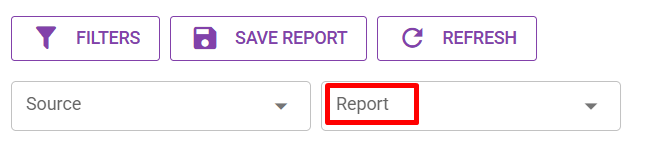
The "View" label has been updated to "Report".
-
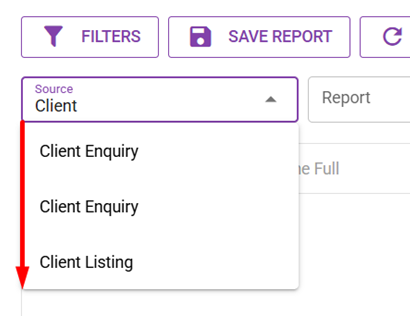
Search and Autocomplete have been added on the Source and View dropdowns.
-
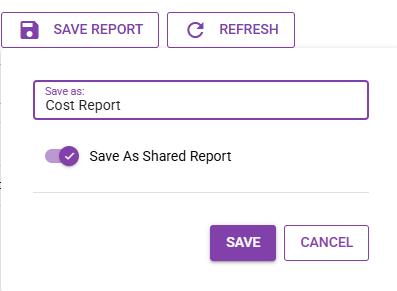
When saving a View, the option to "Save As Standard" has been renamed to "Save As Shared Report".
-
A new security token "Advanced Search – Export to Excel" has been created. It is automatically added for all users (roles) that already have Advanced Search access. This can now be restricted per user by not granting the token to those roles.
-
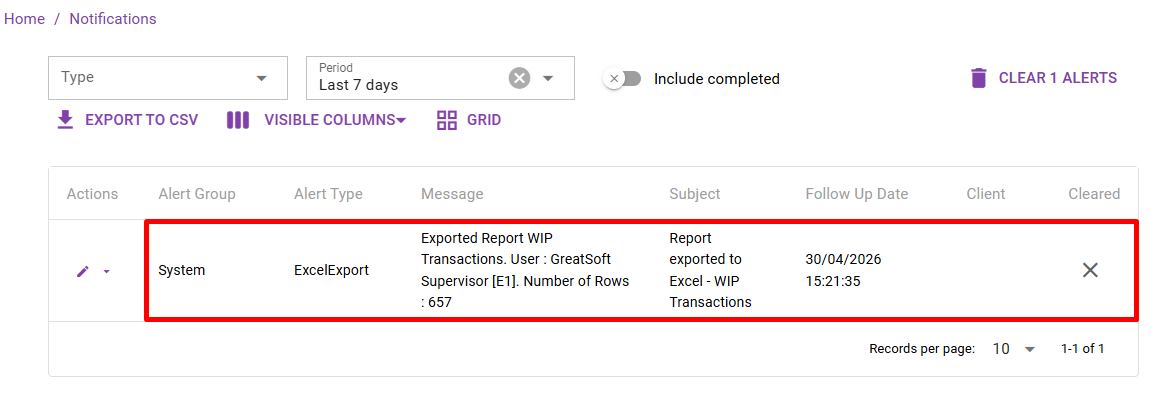
When exporting to Excel, the Excel report is downloaded and an Alert is raised to notify the assigned User that data has been exported.
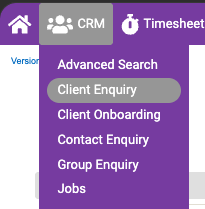
Client Enquiry via Advanced Search is now the default view from Client Enquiry in the CRM menu.

Advanced Search Charts (Beta)
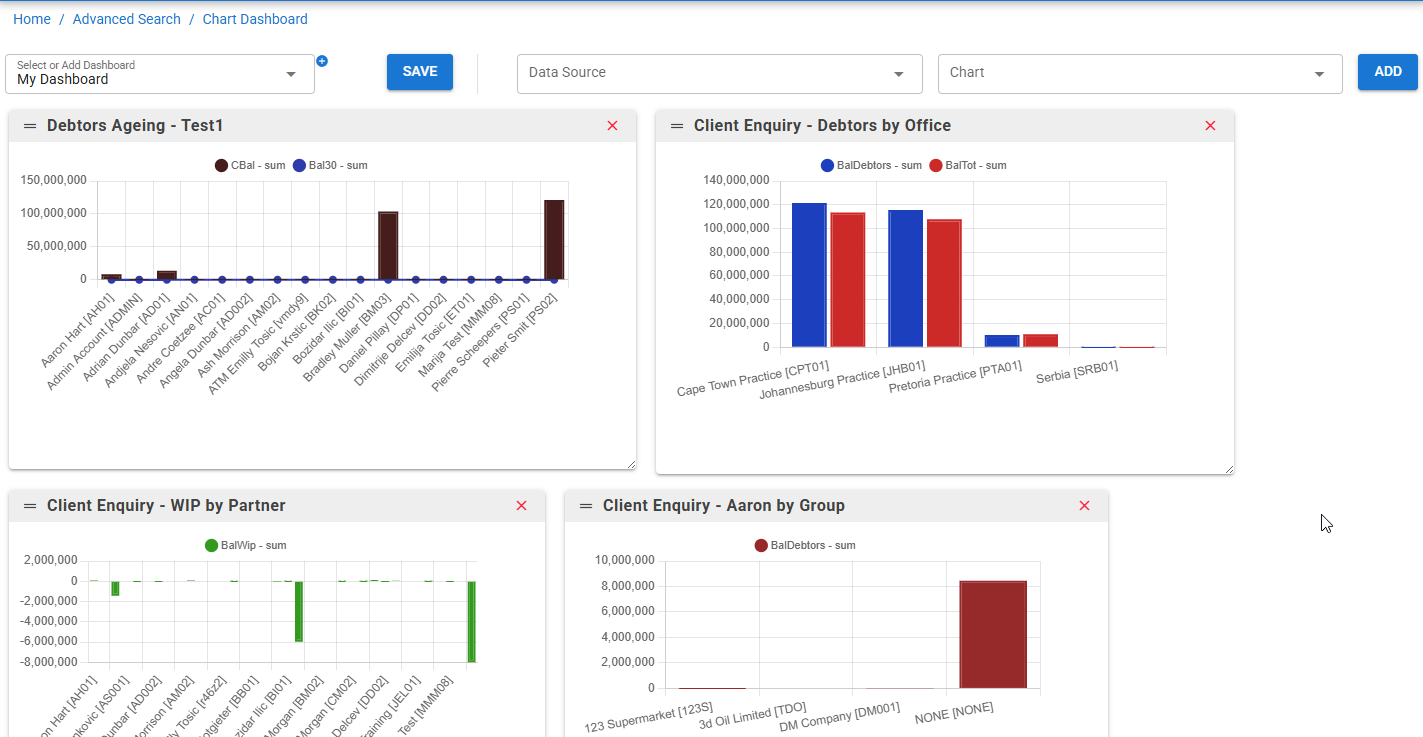
Charts for Advanced Search Reports. Users can now build basic charts from the filters and columns selected on a Report, then save them as a chart to view individually or pin to a Charts Dashboard. The Dashboard can also be displayed on the MYOB Practice Management Dashboard / Home page.
Typical workflow:
-
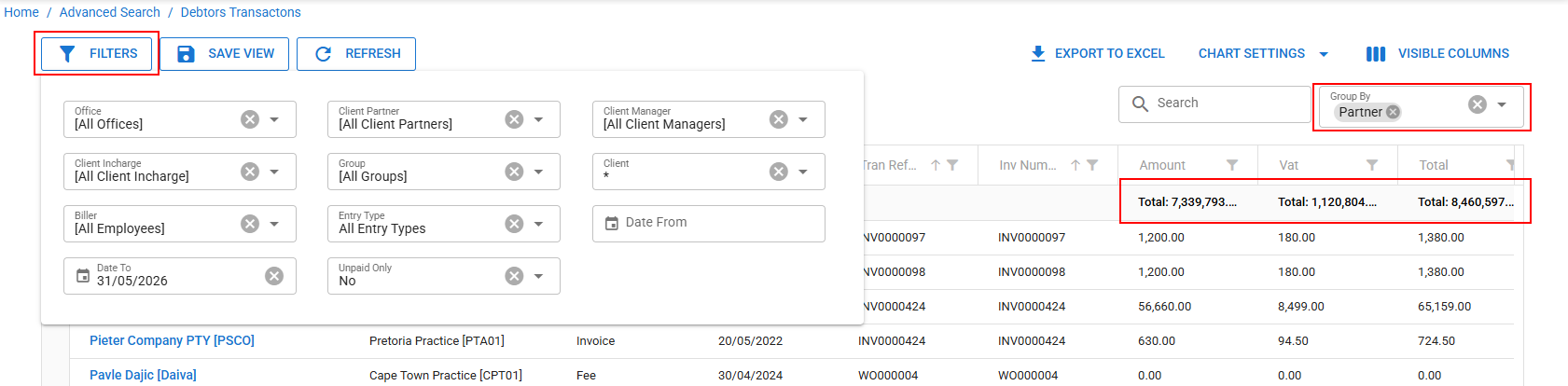
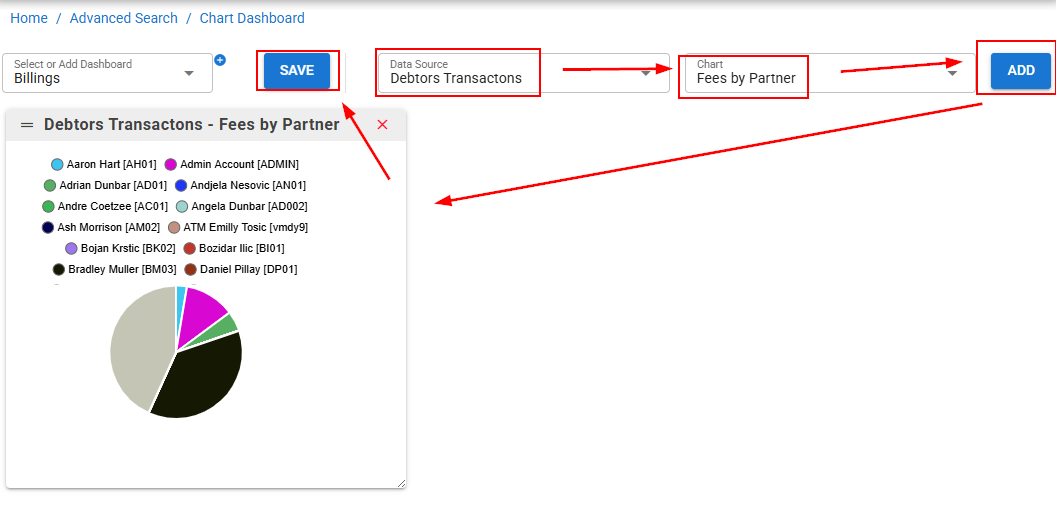
Choose a data source (e.g. Debtors Transactions) and configure filters and grouping to preview the data you want on the chart.
-
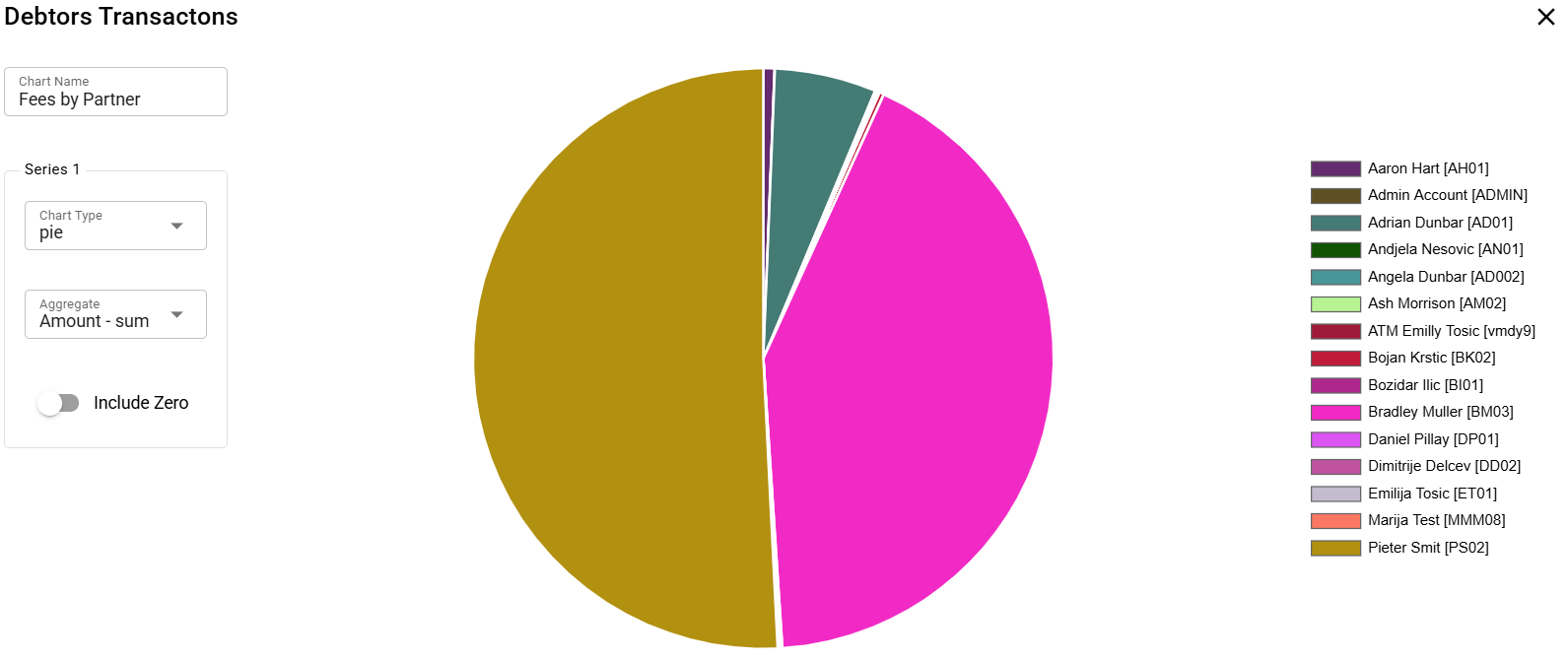
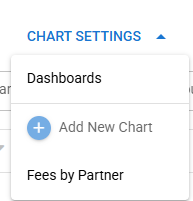
Open Chart Settings, click Add New Chart, give it a name and select the chart type (Bar, Line, Pie, etc.) and aggregate. Example: a Pie chart of Fees by Partner.
-
The chart needs a name to be saved, along with the chart type (Bar, Line, Pie, etc.) and the aggregate used to display the value.
-
Add a second series if you need to compare multiple values on a single chart.
-
Save the chart for later viewing or for inclusion in a dashboard.
-
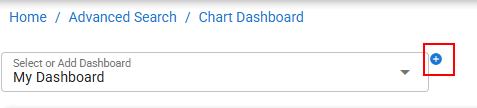
Build a Dashboard via Chart Settings → Add New Dashboard, then add saved charts to it. Charts can be resized and arranged, and multiple dashboards can be created.
-
You can then add different saved charts to the Dashboard by selecting and adding them. Charts can be organised into your own size and layout, and once happy, saved for future viewing. Multiple dashboards can be created as required.
Dashboards can be viewed and edited from this same page, or pinned to the MYOB Practice Management Dashboard / Home page.
Client Maintenance
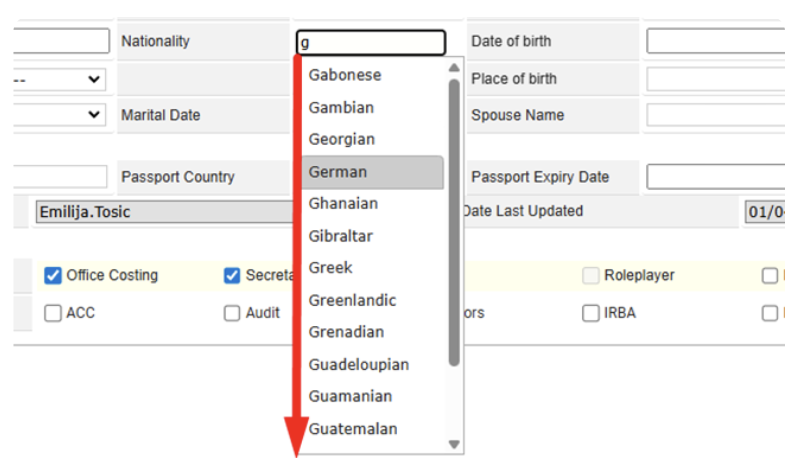
In Client Maintenance, the Nationality field must now be selected from a pre-defined list rather than entered as free text.
Planner
Resolved an issue when importing jobs where changing dates was causing the planner to fail on imports of those new dates.
Calendar Style Timesheets and Disbursements
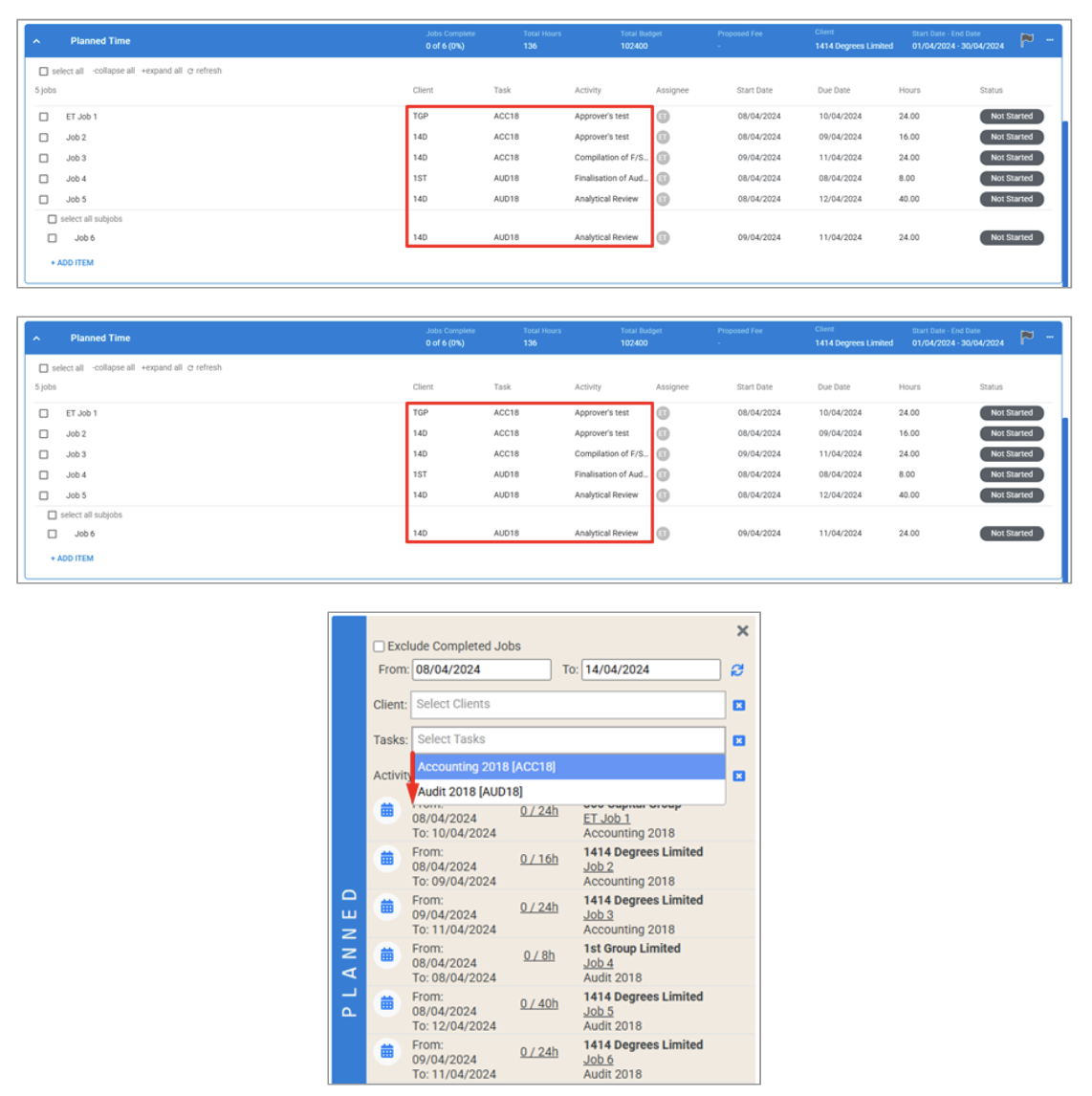
In the Planned section of Timesheets, filters for Tasks no longer show the same repeated tasks linked to different clients. Each task now appears once together with the jobs linked to it.
Billings
-
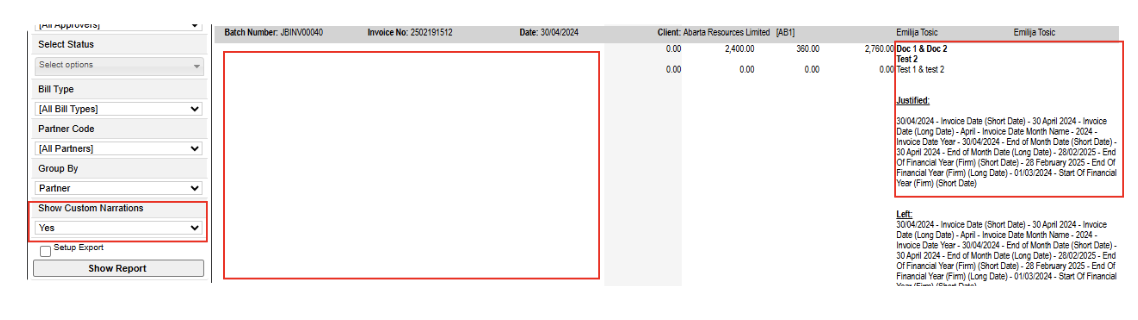
For firms using Custom Narrations, the Batch Status Detail Report now has an option to show Custom Narrations. When selected, Task Information is no longer shown (since it isn't part of the Custom Narrations data).
Resolved an issue in the Open Item Billing Wizard where allocating Fees to Timesheets would erroneously leave the allocated timesheets selected.
Employee Maintenance and Budgets
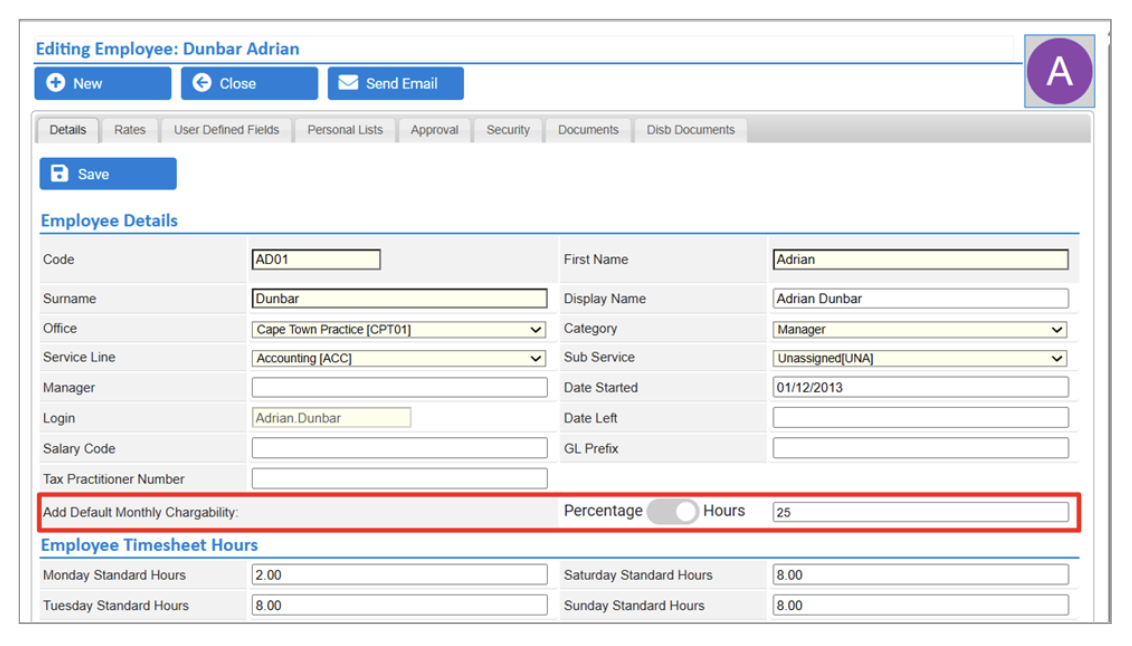
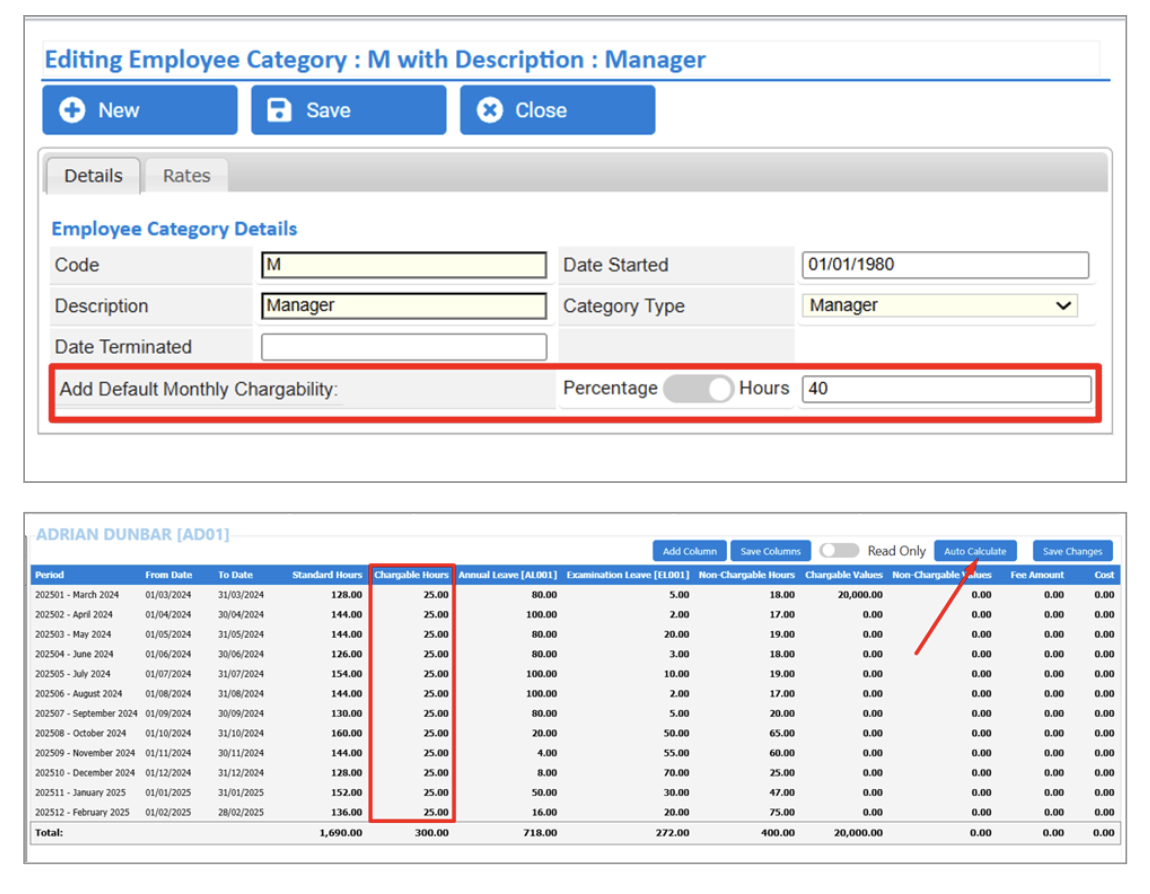
A new Add Default Monthly Chargeability field has been added to both Employees and Employee Categories:
Add Default Monthly Chargeability supports percentages or total hours to control billable time for employees.
Setting Default Monthly Chargeability at the Employee Category level prompts users to confirm updates to all employees in that category. Employees with their own custom values at the record level are skipped.
Employee Budgets are updated accordingly using those charge percentages / hours when Auto Calculate is run.
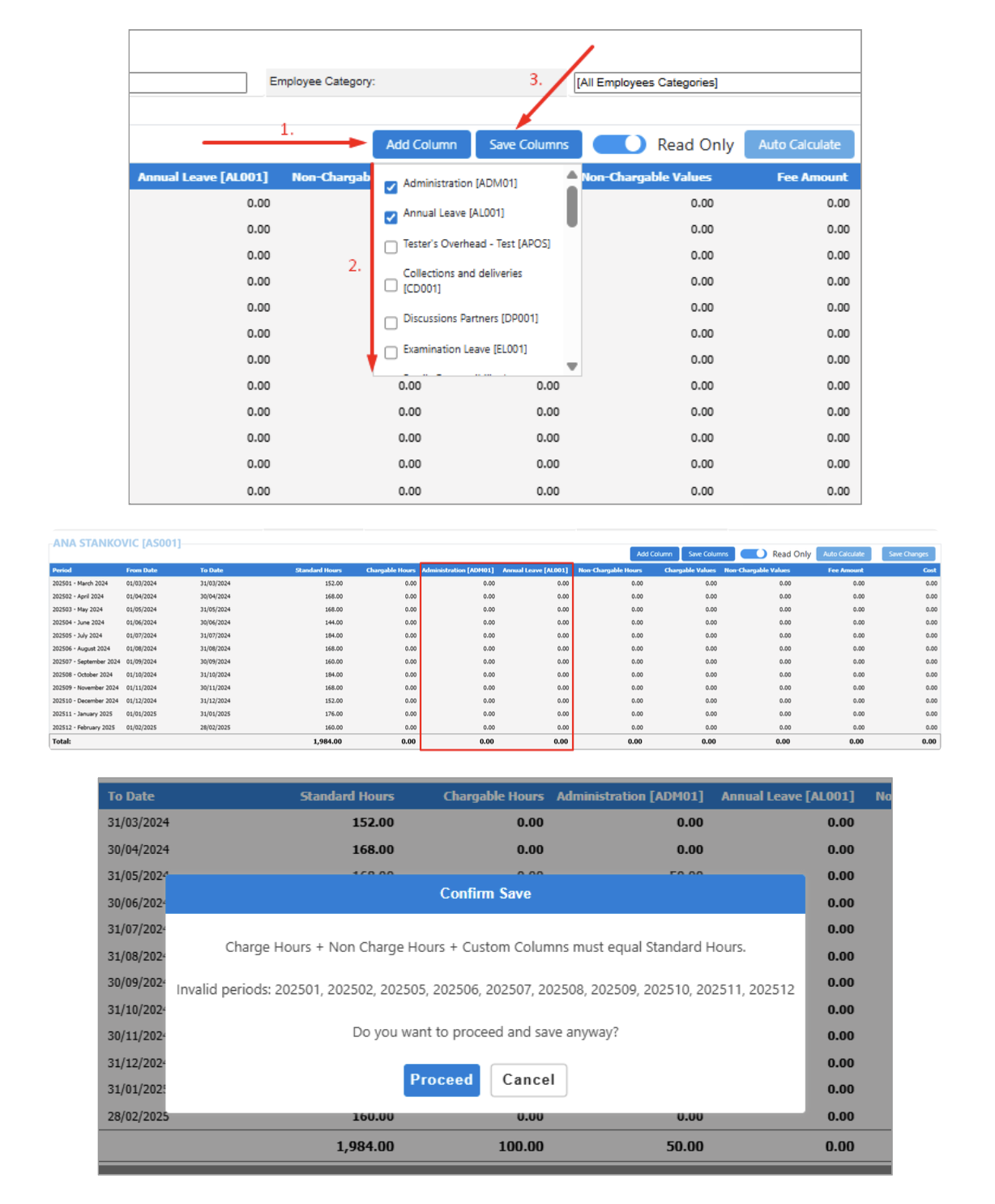
Greater flexibility has been introduced to the Employee Budgets table via Custom Overhead Columns. Using the new Add Column button to select specific overhead codes and saving integrates these custom columns into the table.
Selected overhead columns are included in the import template and table, and in the export report.
A new Calculate button pulls Employee Charge Percentages and Hours directly into the table.
Auto-population of Charge Hours has been adjusted to handle Employee Charge Percentage / Hours and hours added in Custom Columns.
Invalid period / total-hour validation no longer blocks Save immediately. If invalid rows exist, a confirmation popup is shown allowing the user to Proceed or Cancel.
Timesheets
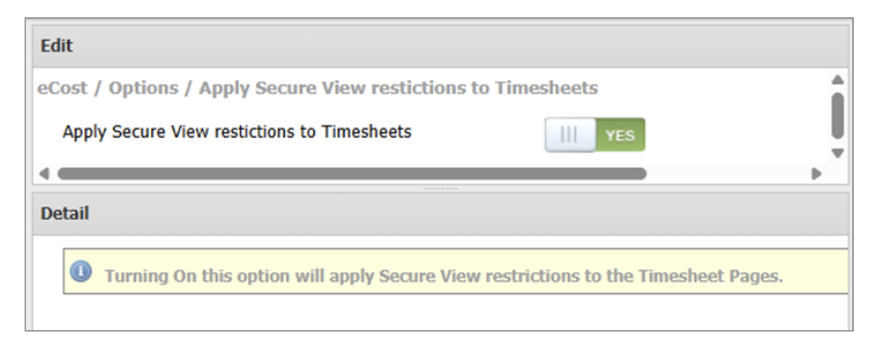
Previously, Secure Views did not affect Timesheet restrictions. A new system option "Apply Secure View restrictions to Timesheets" has been added. Client and Task lookups on Old and Calendar Style Timesheets, and on the TS Widget, have been updated to include Secure Views when enabled.
Planner Data Advanced Search Report
New fields added - Capacity planning
To help with team and individual capacity planning, we've added these new fields:
Project Days Overdue - the number of days the project is overdue
Job Days OverDue - number of days the job is overdue
Days in Status - the number of days the item has been in the current status
New fields added - Client Partner relationships
We've also add fields to show which partner is attached to a client's jobs and projects:
Project Client Partner
Project Client Partner Name
Job Client Partner
Job Client Partner Name
New filter field available - Job and Project Statuses
The Planner Data report has also been enhanced with new filters for job and project statuses.
Job Status
Project Status
Bug Fixes
Office Maintenance
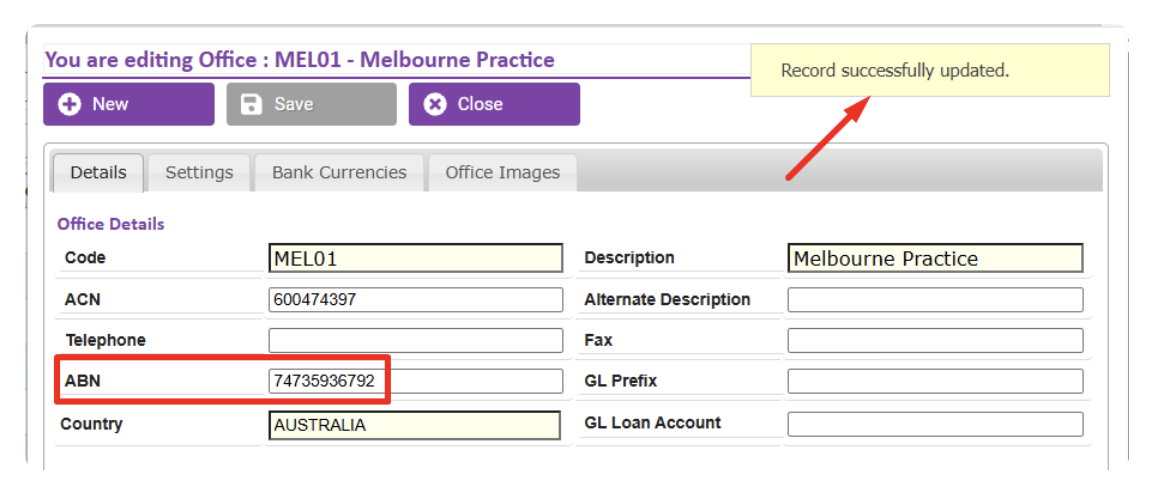
Fixed an issue when saving ABN values into Office details.
Recurring Billing
-
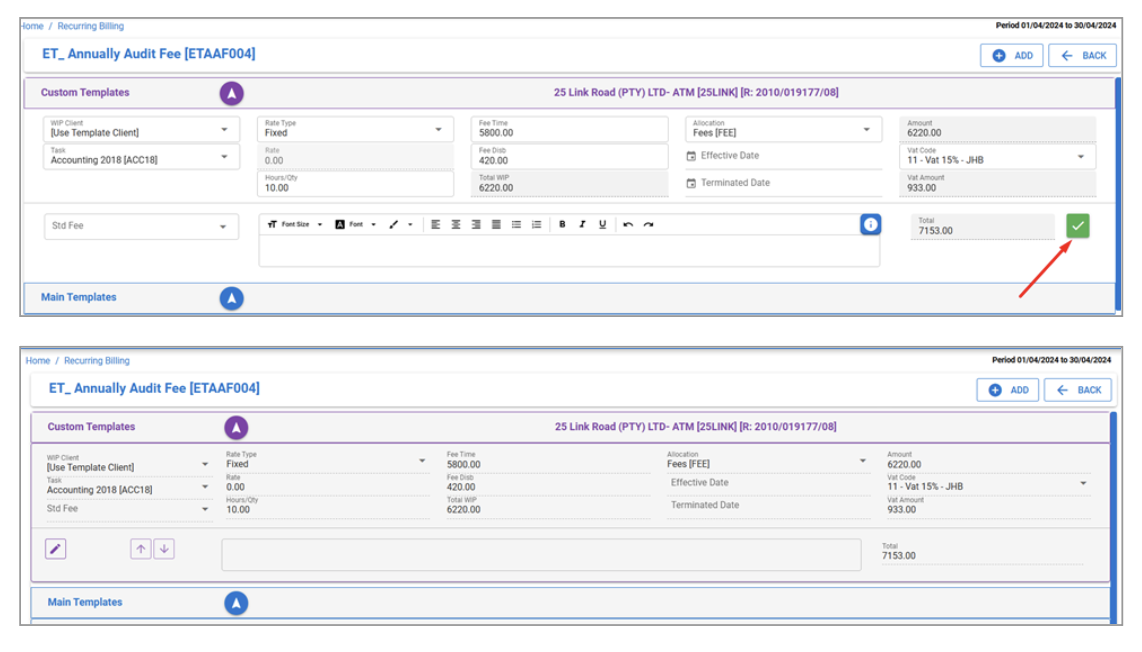
When creating new templates, the Save button now works as expected once all info is completed. The GST calculation has been fixed — the GST Amount would previously not recalculate after certain changes.
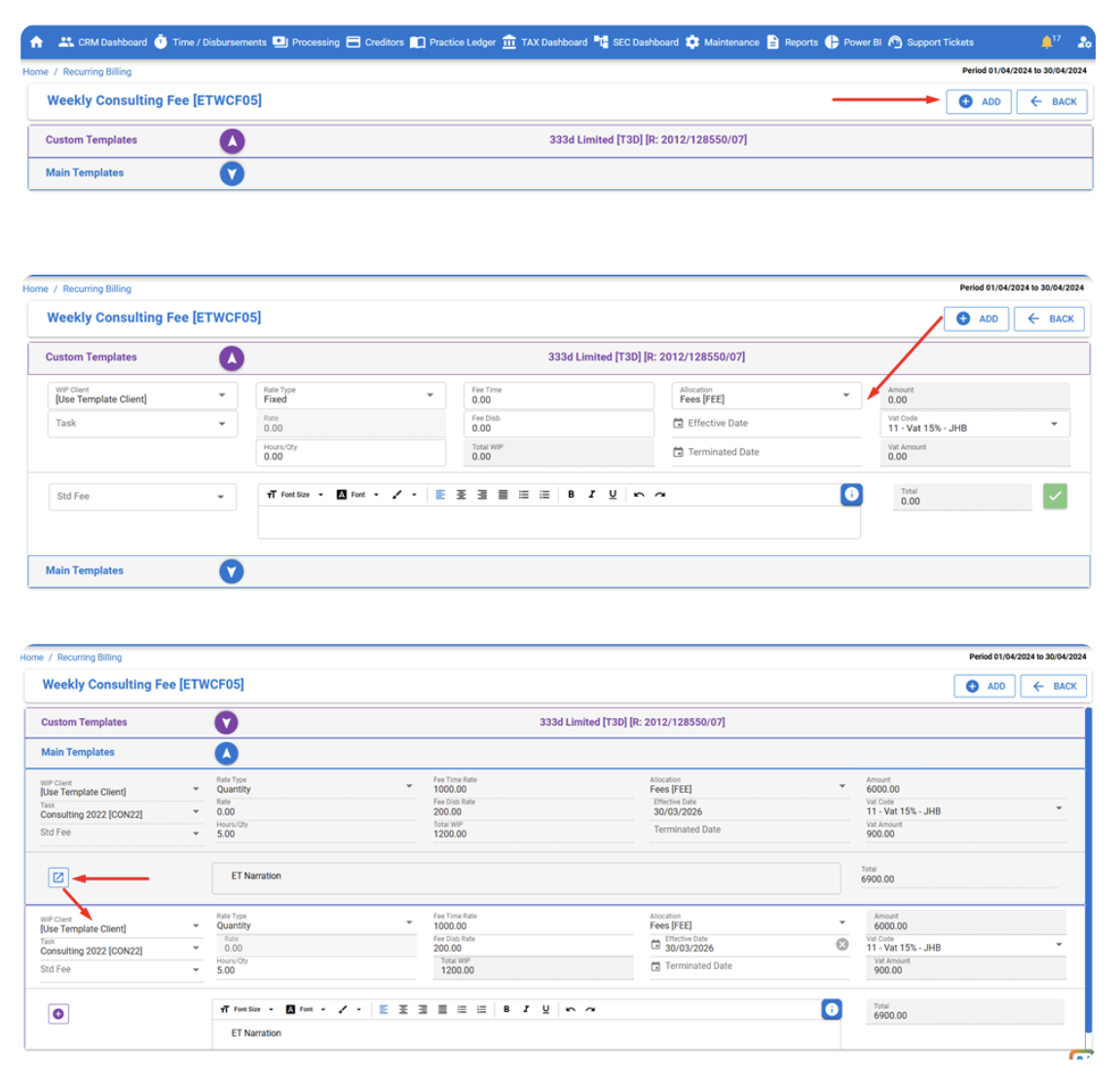
Resolved the issue where, when Main Template line items were minimised, users could not add new line items to Custom Templates. Also fixed the issue with the Duplicate button not copying from the Main Template.
-
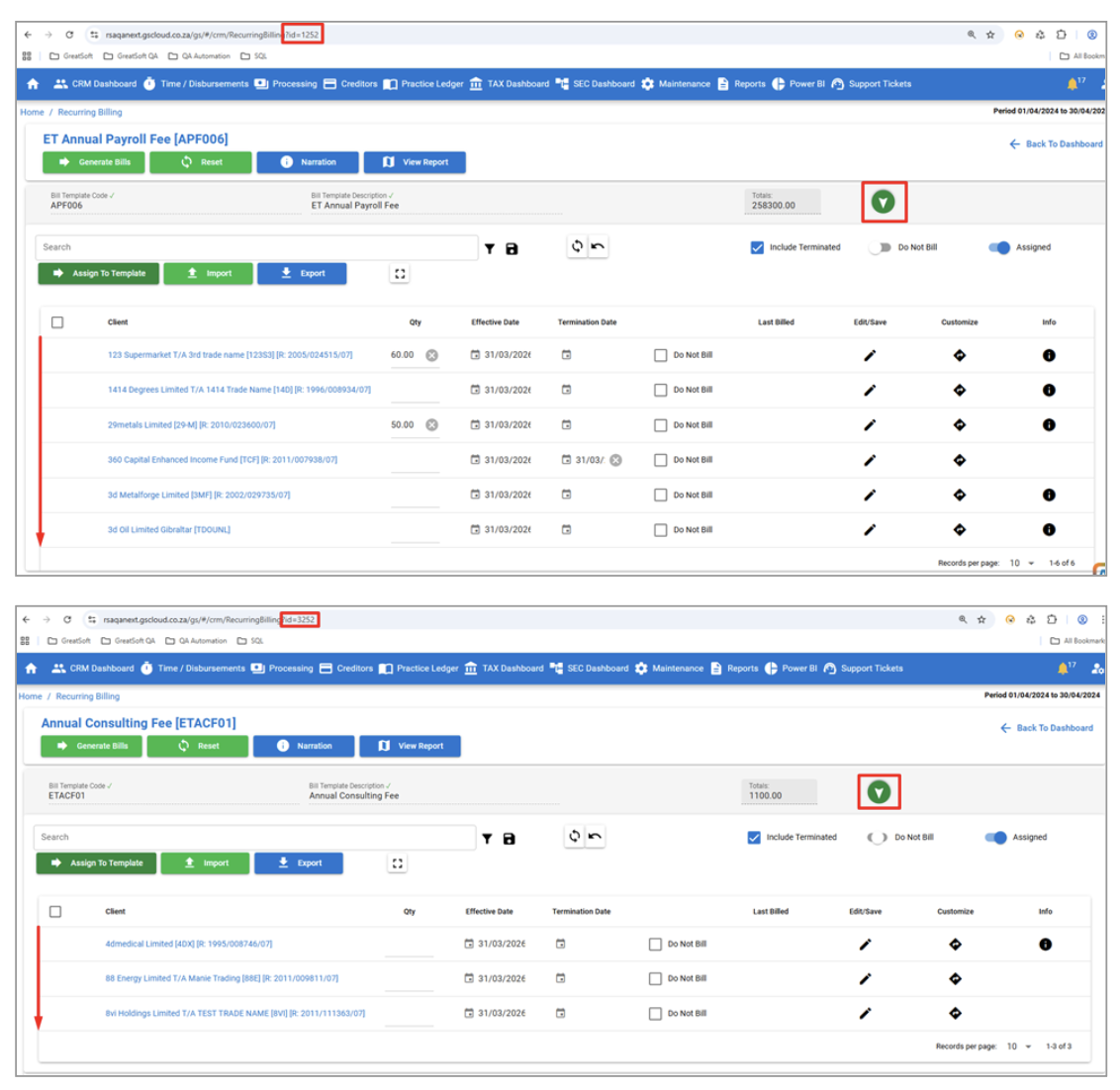
Resolved the issue when switching between templates while line items were minimised — the correct template with assigned clients now shows. URLs have been added to each subpage for better navigation and refreshing.
-
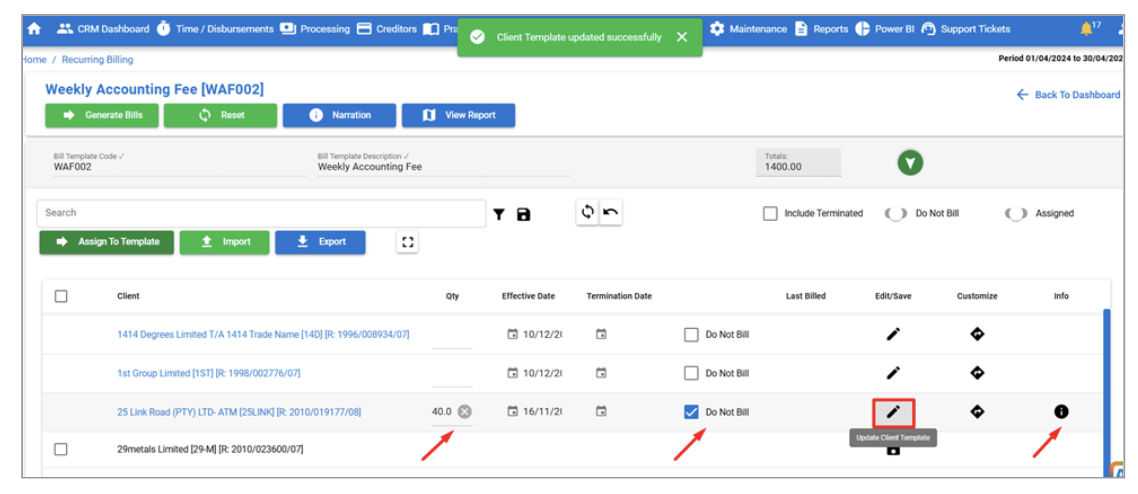
Resolved the "Failed to update" error when assigning Clients to a Template and trying to input further data (Qty, Custom Template, etc.) and clicking Edit/Save.
-
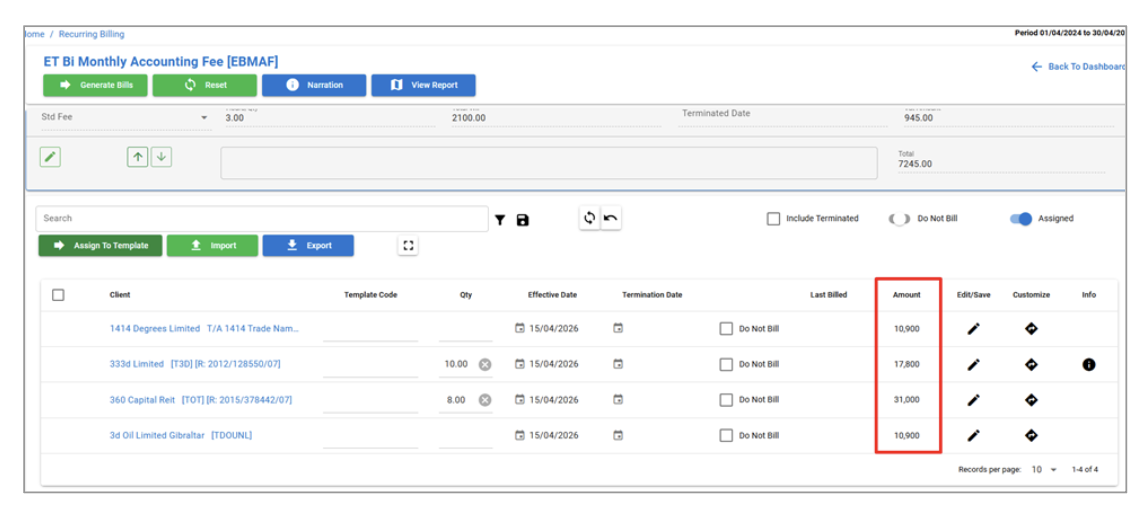
In Recurring Billing, an Amount column has been added to the Assigned Clients grid. Using the Rate or Fix amounts per assigned Client and their QTY, the Total Amount for billing is shown. This represents the Amount Excluding GST and accounts for clients with a Custom Template.
Amounts get updated when:
QTY changes in table row
Custom template is created
Template amount has been changed, or
-
New template has been added.
-
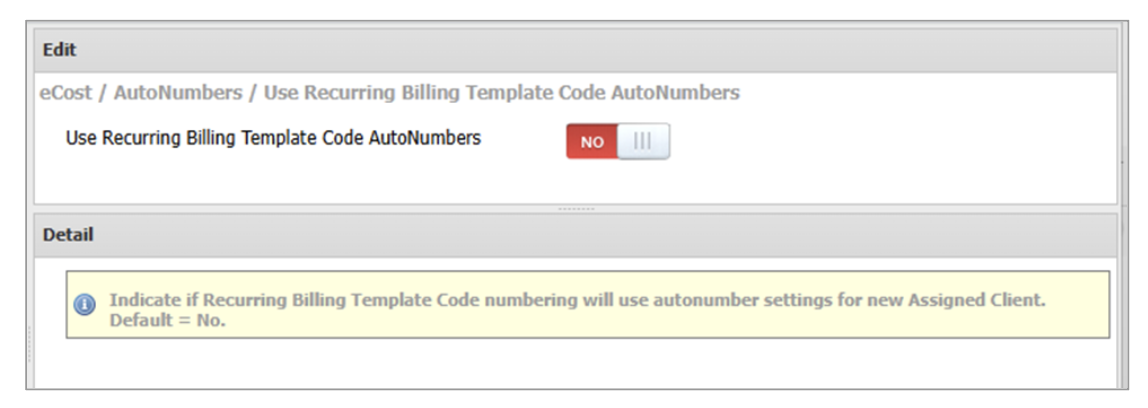
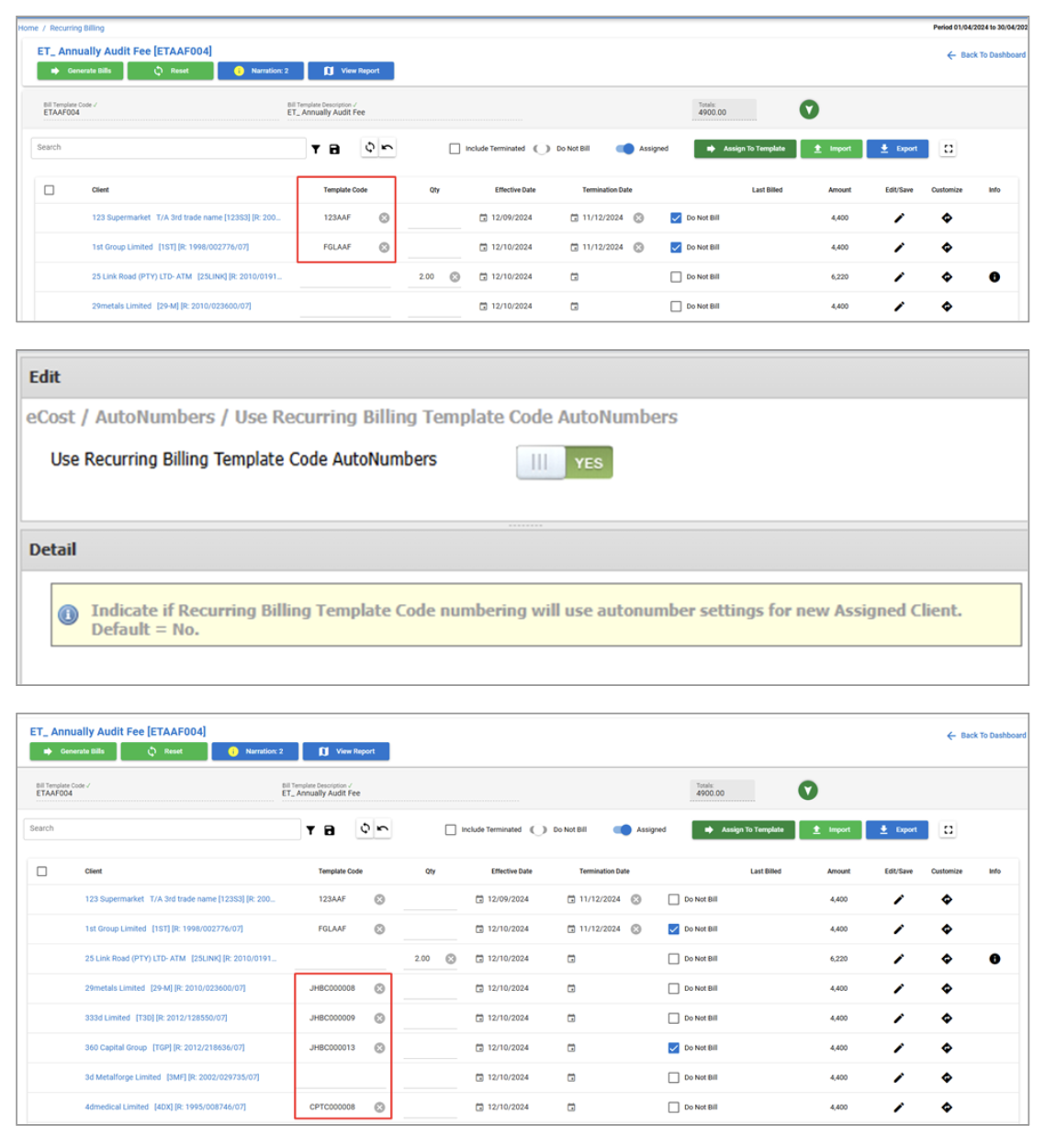
A Template Code field has been added to each Assigned Client on the Template. A new system option "Use Recurring Billing Template Code AutoNumbers" has been introduced — when enabled, codes are generated as auto-numbers each time a client is saved/edited; otherwise manual input is allowed.
-
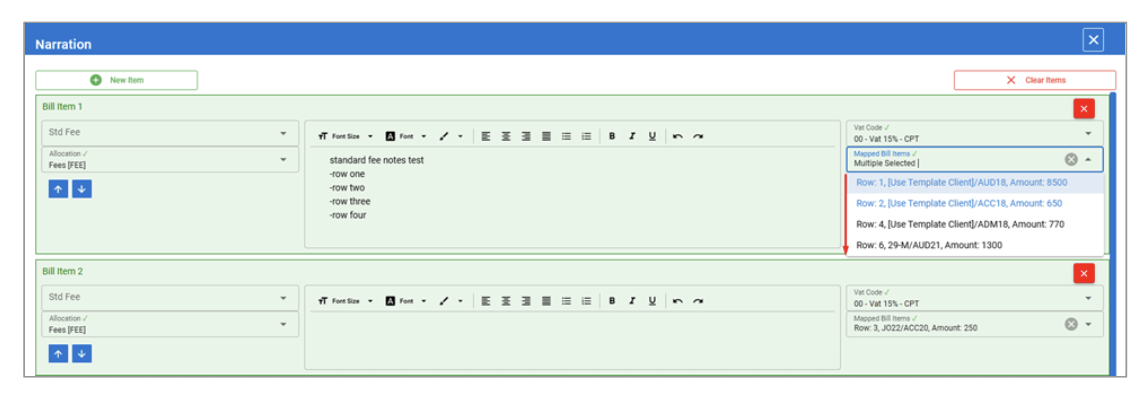
Resolved issues with changing Custom Narrations, and with Mapped Items showing empty when narrations were deleted and re-added.
Resolved the issue where invoices were created for non-GST clients but included GST. These clients will now correctly be charged at Zero GST.
Integrations
General
XPM Integration
Performance optimisations during full client-list synchronisation from XPM to MPM.
Now Infinity
Updated the Now Infinity stored procedure handling to address duplicate rows in the ClientAPINow table. This resolves a BIND Grid error that was occurring in the UI.
Improved performance when clients from Now Infinity match to clients in MPM.
Class
Improved error handling when users click the Class button on Client Enquiry. Refactored the code to address issues when the Class API is called.
When an entity is suspended in Class, an Update to Class would previously fail. With improved error handling, users are now notified that the entity is suspended in Class.
REST API
Created the REST API bank lookup capability, improving how bank lookup information is accessed through the API.
WIP endpoints were updated as part of this release, improving support for working with work-in-progress data through the available endpoints.